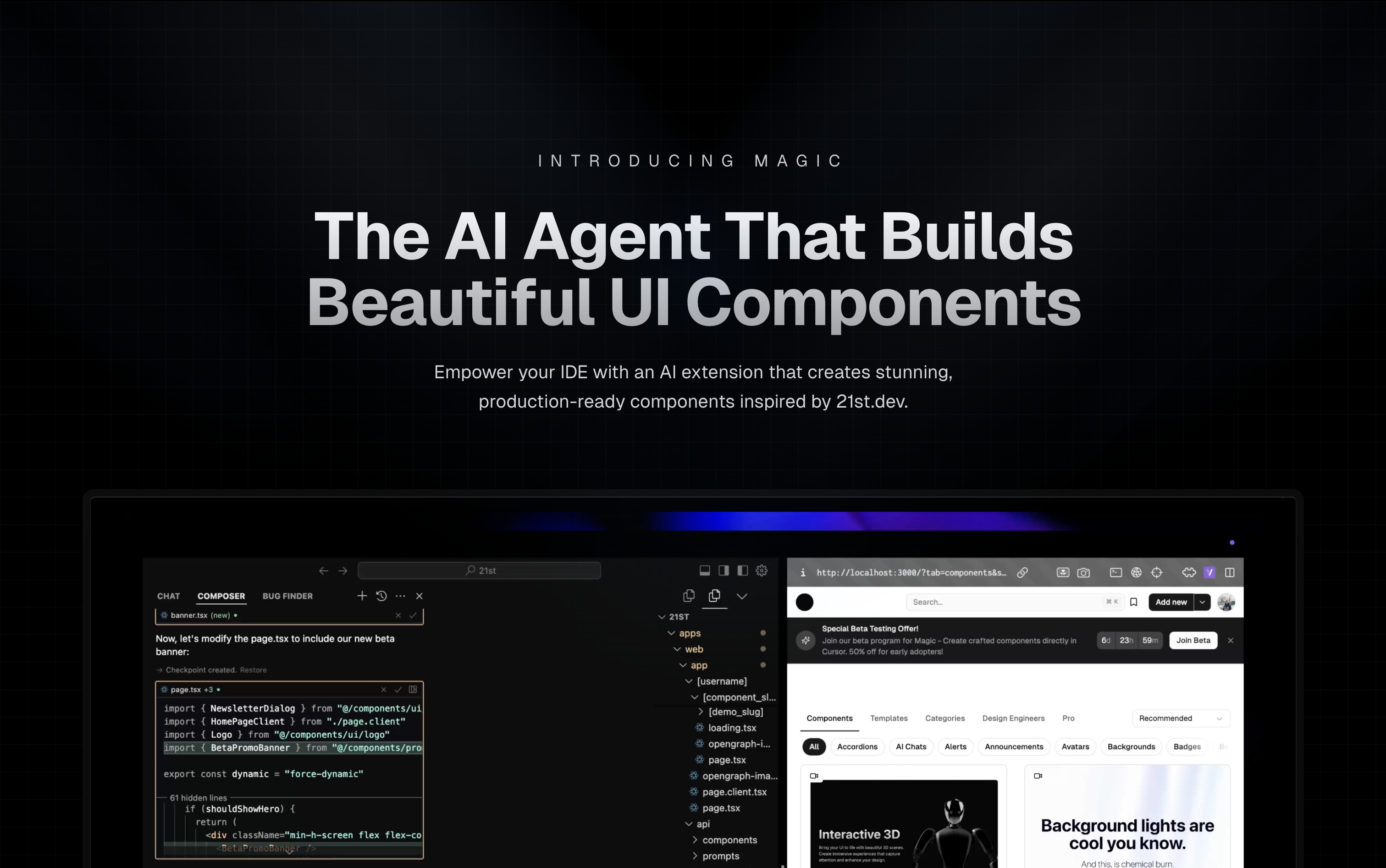
Magic Component Platform (MCP) is a powerful AI-driven tool that helps developers create beautiful, modern UI components instantly through natural language descriptions. It integrates seamlessly with popular IDEs and provides a streamlined workflow for UI development.
- AI-Powered UI Generation: Create UI components by describing them in natural language
- Multi-IDE Support:
- Cursor IDE integration
- Windsurf support
- VSCode support
- VSCode + Cline integration (Beta)
- Modern Component Library: Access to a vast collection of pre-built, customizable components inspired by 21st.dev
- Real-time Preview: Instantly see your components as you create them
- TypeScript Support: Full TypeScript support for type-safe development
- SVGL Integration: Access to a vast collection of professional brand assets and logos
- Component Enhancement: Improve existing components with advanced features and animations (Coming Soon)
-
Tell Agent What You Need
- In your AI Agent's chat, just type
/uiand describe the component you're looking for - Example:
/ui create a modern navigation bar with responsive design
- In your AI Agent's chat, just type
-
Let Magic Create It
- Your IDE prompts you to use Magic
- Magic instantly builds a polished UI component
- Components are inspired by 21st.dev's library
-
Seamless Integration
- Components are automatically added to your project
- Start using your new UI components right away
- All components are fully customizable
- Node.js (Latest LTS version recommended)
- One of the supported IDEs:
- Cursor
- Windsurf
- VSCode (with Cline extension)
-
Generate API Key
- Visit 21st.dev Magic Console
- Generate a new API key
-
Choose Installation Method
One command to install and configure MCP for your IDE:
npx @21st-dev/cli@latest install <client> --api-key <key>Supported clients: cursor, windsurf, cline, claude
If you prefer manual setup, add this to your IDE's MCP config file:
{
  "mcpServers": {
    "@21st-dev/magic": {
      "command": "npx",
      "args": ["-y", "@21st-dev/magic@latest", "API_KEY=\"your-api-key\""]
    }
  }
}
Config file locations:
- Cursor:
~/.cursor/mcp.json - Windsurf:
~/.codeium/windsurf/mcp_config.json - Cline:
~/.cline/mcp_config.json - Claude:
~/.claude/mcp_config.json
For one-click installation, click one of the install buttons below:


First, check the install buttons above for one-click installation. For manual setup:
Add the following JSON block to your User Settings (JSON) file in VS Code. You can do this by pressing Ctrl + Shift + P and typing Preferences: Open User Settings (JSON):
{
  "mcp": {
    "inputs": [
      {
        "type": "promptString",
        "id": "apiKey",
        "description": "21st.dev Magic API Key",
        "password": true
      }
    ],
    "servers": {
      "@21st-dev/magic": {
        "command": "npx",
        "args": ["-y", "@21st-dev/magic@latest"],
        "env": {
          "API_KEY": "${input:apiKey}"
        }
      }
    }
  }
}
Optionally, you can add it to a file called .vscode/mcp.json in your workspace:
{
  "inputs": [
    {
      "type": "promptString",
      "id": "apiKey",
      "description": "21st.dev Magic API Key",
      "password": true
    }
  ],
  "servers": {
    "@21st-dev/magic": {
      "command": "npx",
      "args": ["-y", "@21st-dev/magic@latest"],
      "env": {
        "API_KEY": "${input:apiKey}"
      }
    }
  }
}Magic AI Agent only writes or modifies files related to the components it generates. It follows your project's code style and structure, and integrates seamlessly with your existing codebase without affecting other parts of your application.
Yes! All generated components are fully editable and come with well-structured code. You can modify the styling, functionality, and behavior just like any other React component in your codebase.
If you exceed your monthly generation limit, you'll be prompted to upgrade your plan. You can upgrade at any time to continue generating components. Your existing components will remain fully functional.
Authors can publish components to 21st.dev at any time, and Magic Agent will have immediate access to them. This means you'll always have access to the latest components and design patterns from the community.
Magic AI Agent can handle components of varying complexity, from simple buttons to complex interactive forms. However, for best results, we recommend breaking down very complex UIs into smaller, manageable components.
mcp/
├── app/
│   └── components/     # Core UI components
├── types/             # TypeScript type definitions
├── lib/              # Utility functions
└── public/           # Static assets
IdeInstructions: Setup instructions for different IDEsApiKeySection: API key management interfaceWelcomeOnboarding: Onboarding flow for new users
We welcome contributions! Please join our Discord community and provide feedback to help improve Magic Agent. The source code is available on GitHub.
- Discord Community - Join our active community
- Twitter - Follow us for updates
Magic Agent is currently in beta. All features are free during this period. We appreciate your feedback and patience as we continue to improve the platform.
MIT License
- Thanks to our beta testers and community members
- Special thanks to the Cursor, Windsurf, and Cline teams for their collaboration
- Integration with 21st.dev for component inspiration
- SVGL for logo and brand asset integration
For more information, join our Discord community or visit 21st.dev/magic.